EnigmaPlan icon: receiver with a flying programme grid

EnigmaPlan · for Enigma2 receivers

The TV guide
for your own box

Browse the TV schedule like a programme guide, plan recordings with a tap, manage timers and recordings. EnigmaPlan fetches the programme directly from the receiver in your living room and schedules recordings where they belong: on the box.

Version 1.4 of 10 October 2026 · free · open source (GPL-3.0)

⬇ Download EnigmaPlan Source code

For Android 8 and later, on phone and tablet (APK, signed; outside the Play Store, Android asks once whether the browser may install apps). On first start, enter the IP address of your box. The app needs no account and talks only to the box in your own network. The app interface is currently in German only; the button names are given below with a translation.
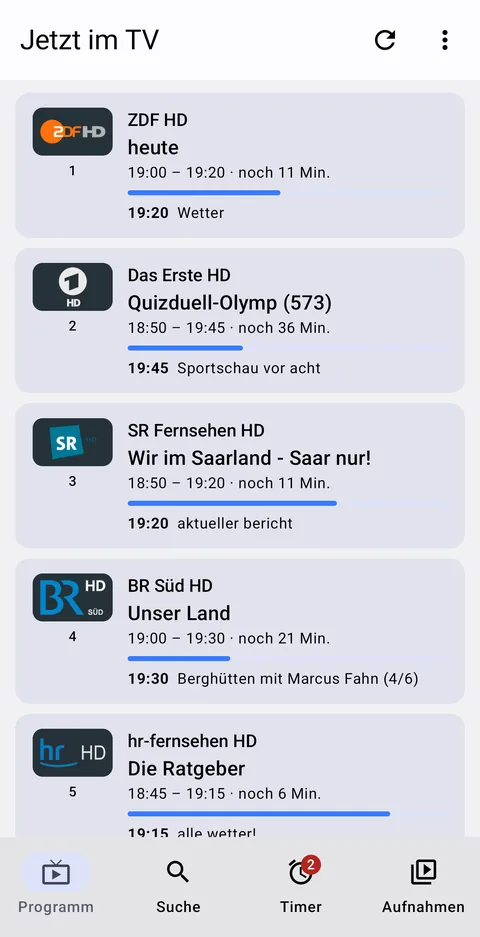
Channel list with current and next programme
On now
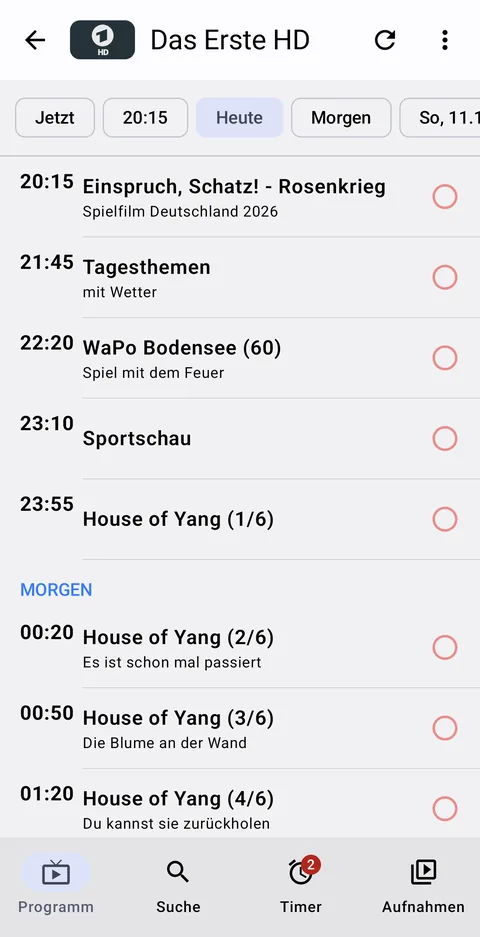
Weekly schedule of a channel with day bar
Channel week
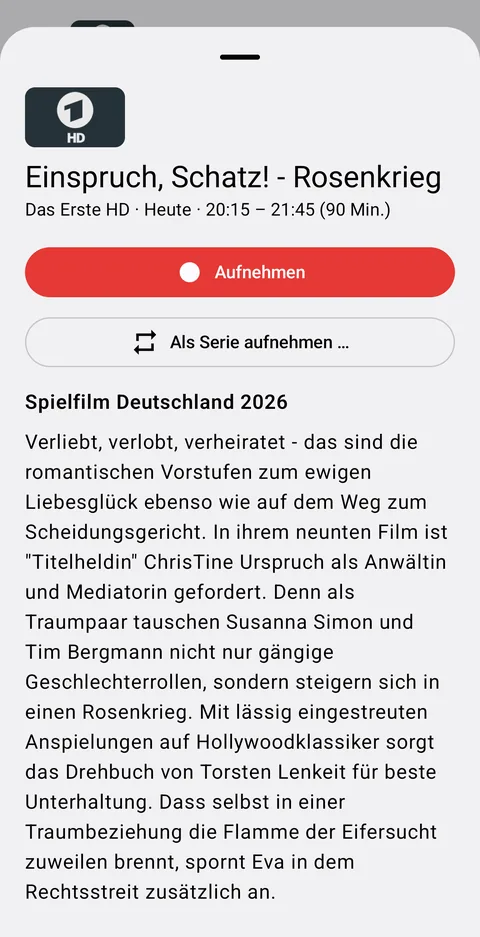
Programme with record button
Record
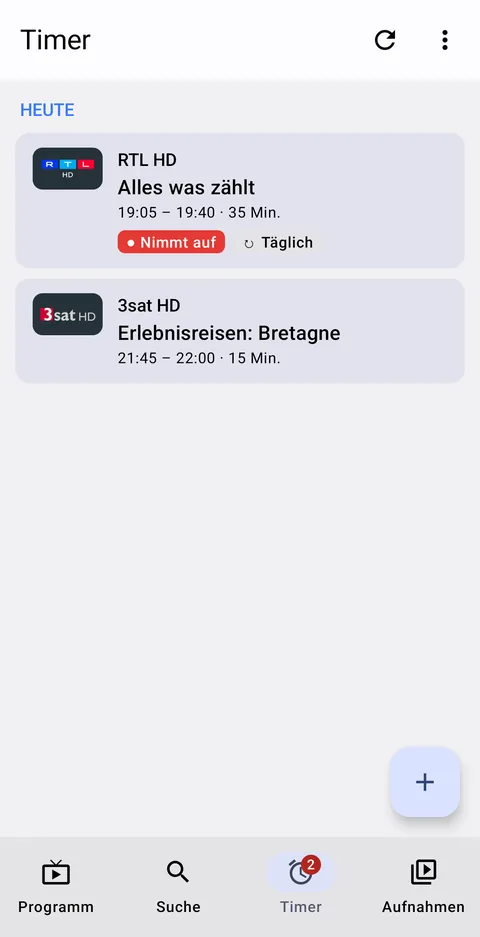
Timer list with a recording in progress
Timers

TV guide

The whole evening at a glance

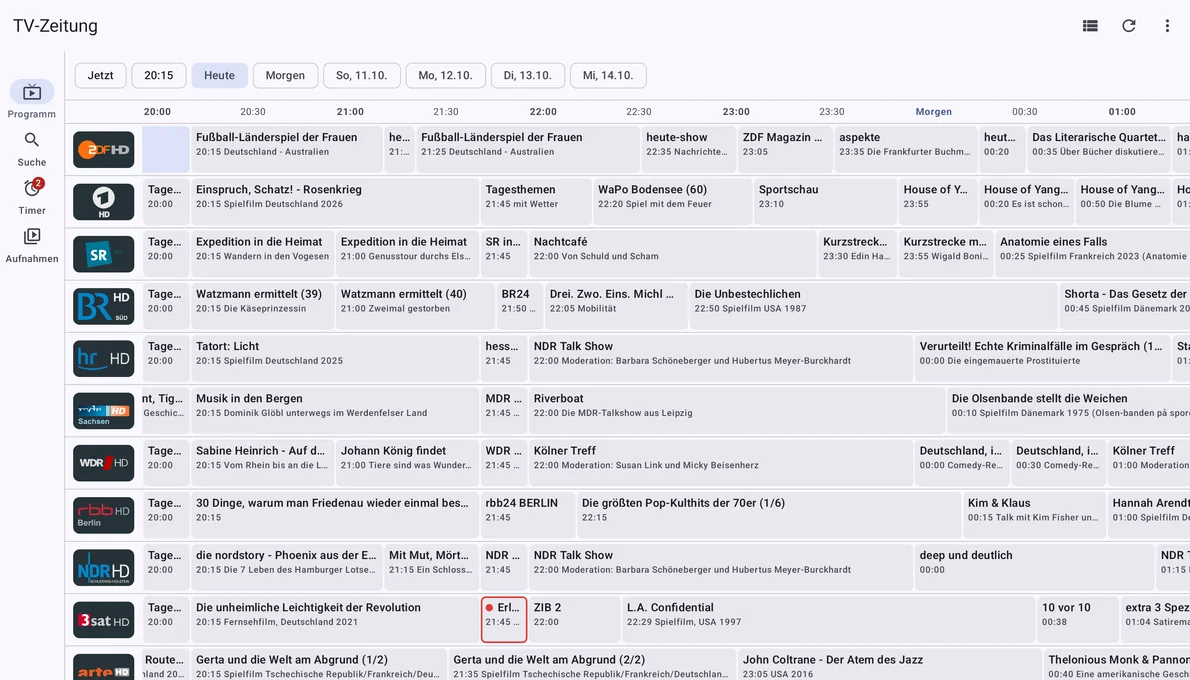
On the tablet and in landscape, the channel list turns into a TV guide grid: channels with their logos on the left, time running to the right, every programme a box as wide as it lasts. A red line shows what is on right now. Swipe through the evening and through the week; a tap on “20:15” jumps to prime time.

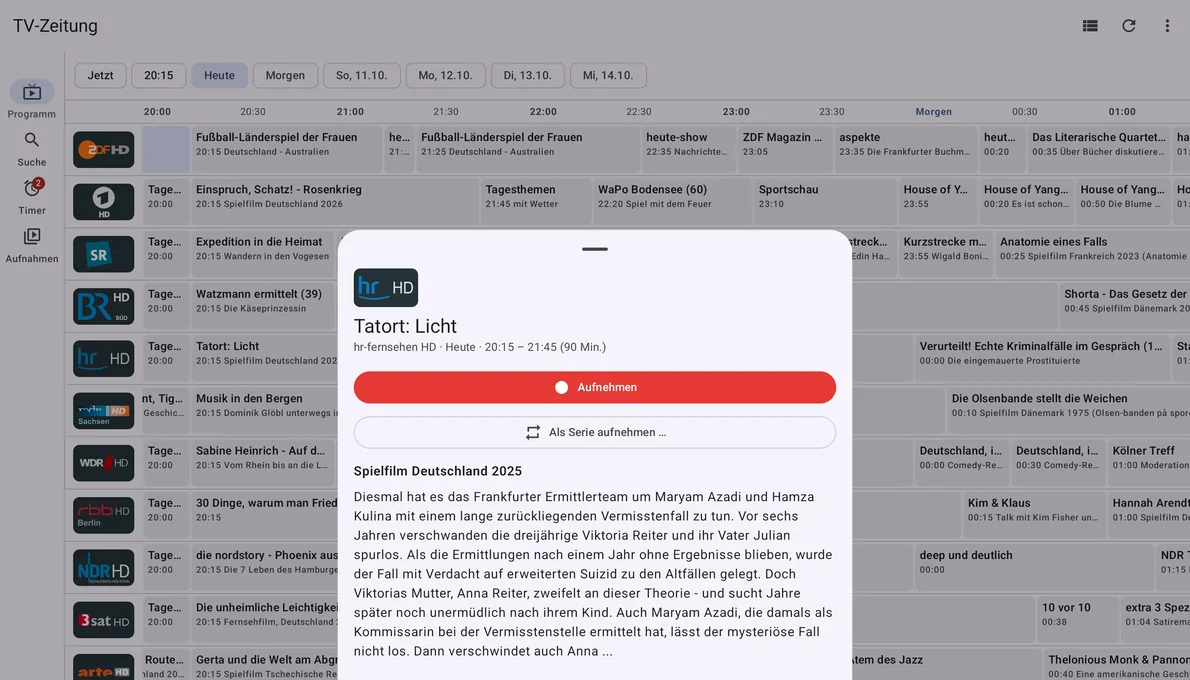
Programmes with a timer have a red frame. Tapping a box opens the description with the button “Aufnehmen” (record) – the grid stays in place behind it.

TV guide on the tablet: channels listed vertically, programmes as boxes from 8 pm
Friday evening on the Galaxy Tab: 27 channels, from 20:15.
Programme details above the TV guide
Tap – read the description, record, keep browsing.

Channel week

One channel through the week

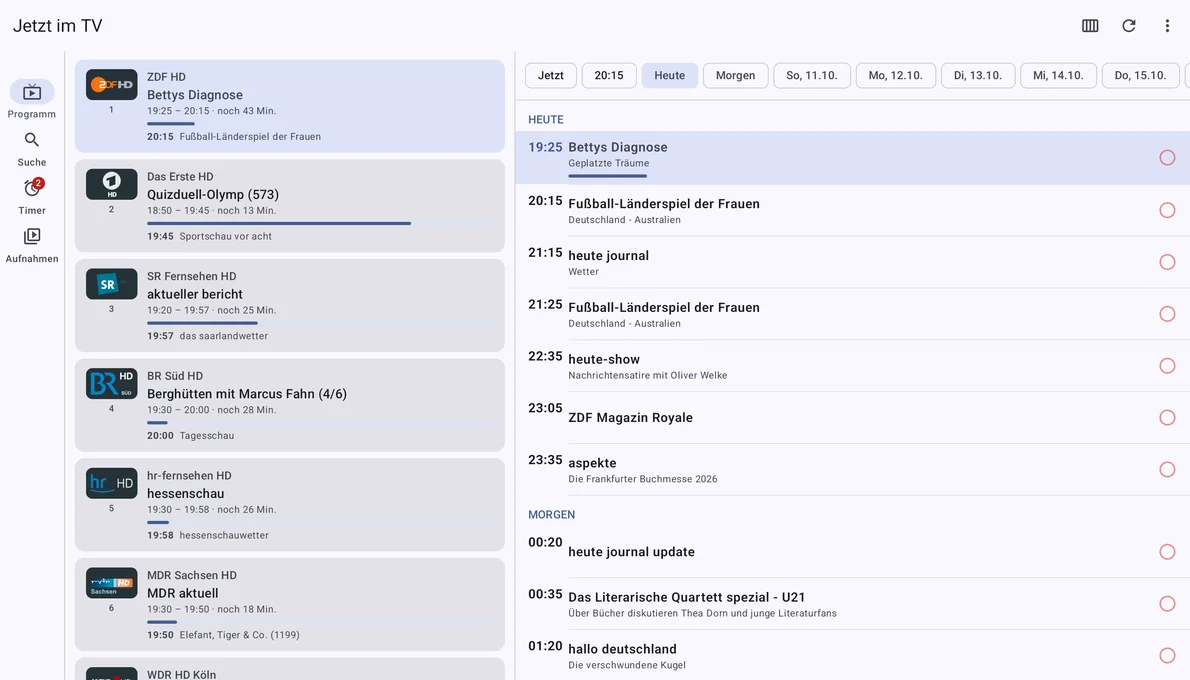
One channel, its programme across all the days the box knows – usually a week. At the top a bar: now · 20:15 · today · tomorrow · Sunday … The highlight moves along as you scroll. Swiping left or right switches to the next channel.

Next to every programme there is a circle. Tap it, and the recording is scheduled; if a timer is already set, the circle is filled red. That is how you go through a TV guide and set the week's recordings in one pass.

Tablet: channel list on the left, weekly schedule on the right
Alternatively channel list and weekly schedule side by side instead of the TV guide grid.

Recording

Once, or as a series

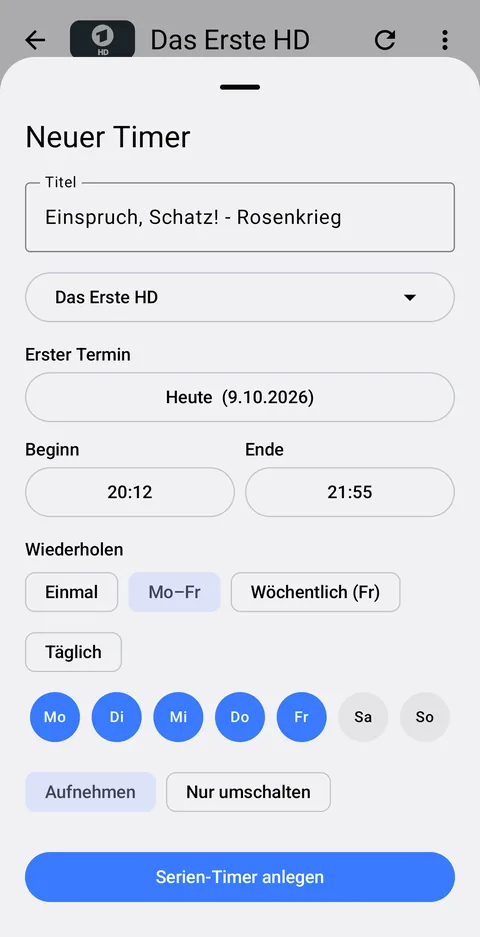
“Aufnehmen” (record) creates a timer for exactly this programme, with the lead-in and lead-out time set on the box. For the daily soap or the Sunday crime drama there is “Als Serie aufnehmen” (record as series): Mon–Fri, weekly, daily or individual weekdays to tap. If a programme runs on weekdays, the app suggests Mon–Fri right away.

The recording margin is set in the app and stored on the box – so that beginning and end are not missing when a channel starts early or overruns. Suggestion: 3 minutes before, 10 minutes after.

Programme with the buttons record and record as series
Programme
Series timer with Mon–Fri selected
Series
Weekly schedule with record circles
Record circles in the weekly schedule

Timers & recordings

Managing timers and recordings

The timer list shows what is planned and what is being recorded right now, sorted by day. Title, date and times can be changed, timers switched on and off or deleted; one button clears finished timers. With the plus button you can create a timer by hand, even without programme data.

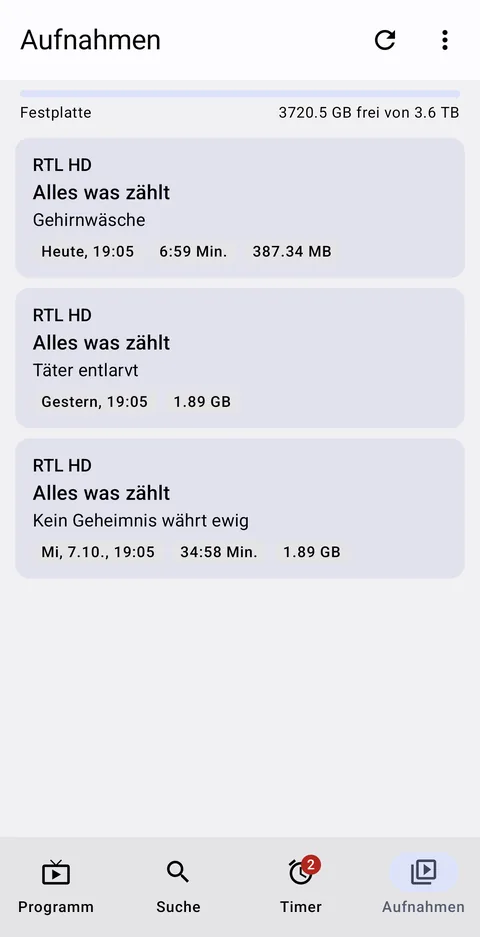
Under “Aufnahmen” (recordings) you find the finished recordings with description and size, and above them the free space on the hard disk. A tap on “Abspielen” (play) starts the recording in the device's video player, such as VLC – streamed directly from the box and fully seekable. Whatever has been watched is deleted – after asking.

Timer list
Timers
Recordings with free disk space
Recordings

Which boxes

Any Enigma2 box with OpenWebif

EnigmaPlan talks to OpenWebif, the web interface that runs on almost all Enigma2 receivers. Satellite, cable or DVB-T does not matter. Phone or tablet only need to be on the same network as the box – from outside it works through a VPN, for example the one built into a FRITZ!Box router.

Tip if programme data are missing: a box only collects the programme of the channels it is currently receiving. On cable, whole families of channels are therefore often missing. The box plugin EPGRefresh zaps through all favourites at night in standby – afterwards there is a week of programme for every channel.

Channel logos and names belong to the respective broadcasters; the pictures show the German programme of 9 October 2026. Vu+ and the other brands mentioned belong to their owners; EnigmaPlan is an independent project. Bugs and wishes are welcome by e-mail or as a GitHub issue.